Split Charts on Punch
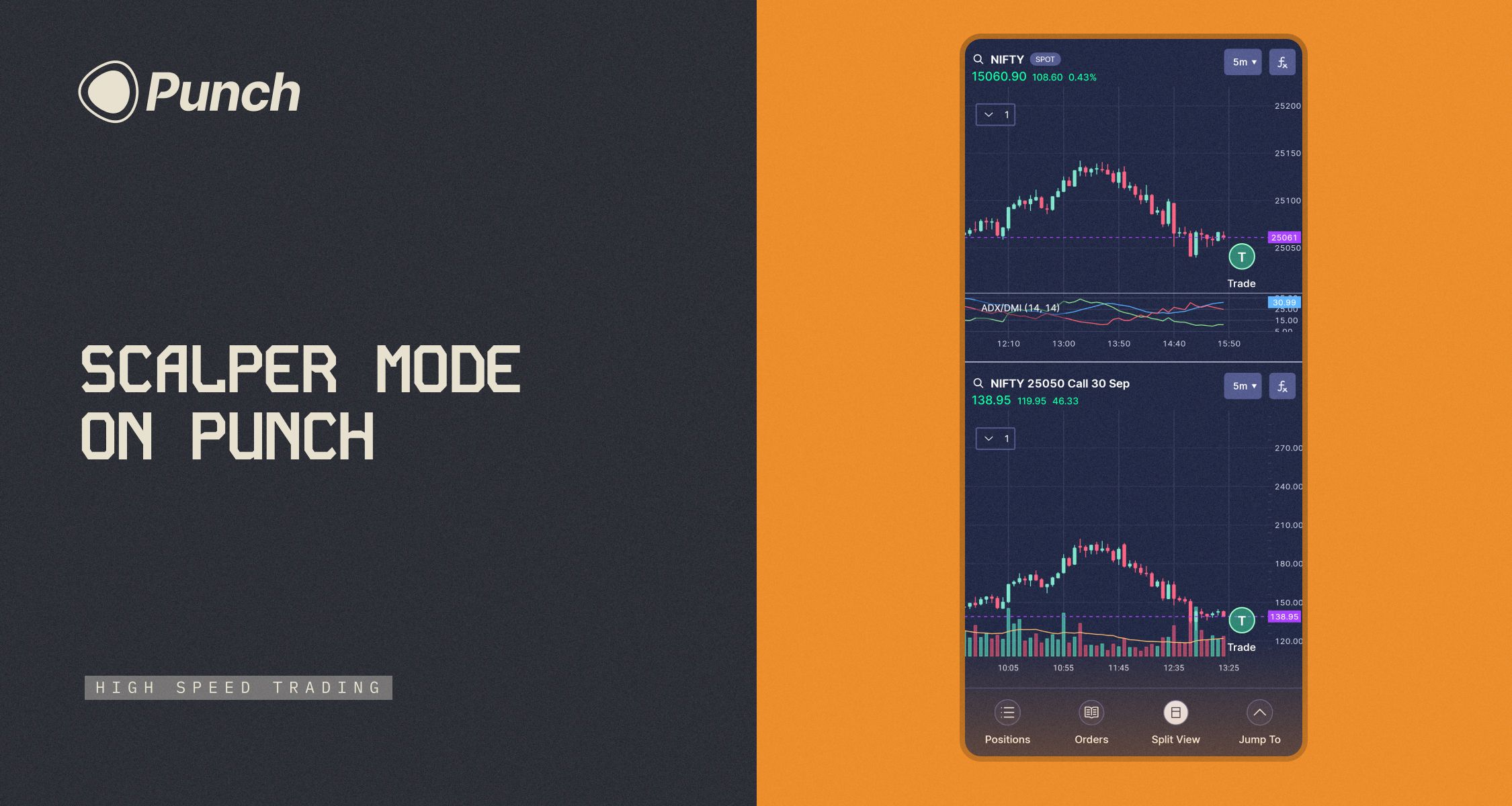
We’ve just launched Split Chart Mode — a powerful new way to analyze and trade on two charts at once.
Here’s what you can do with it:
📊 Open two independent charts side by side
🔍 Plot 50+ indicators, drawings, and track price action individually on each chart
⚡ Trade directly from either chart with one tap
💡 Use Cases
Index + Option View:
Plot NIFTY + its Call/Put option — perfect for option scalping. Analyze the index, then just tap T on the option chart to Punch in your trade.
Multi-Timeframe Analysis:
View NIFTY on both 3-min and 15-min charts. Identify trends and time your entries better, all in one screen.
Multi-Stock Trading:
Want to track Reliance and HDFC? Or NIFTY and a stock side-by-side? Split Chart makes it possible — analyze and trade on both simultaneously.
Whether you’re scalping options, tracking price action, or doing pure analysis — Split Chart Mode is built for you.
Update your Punch app to use it.
Built by the Punch Builders Lab 🔧