Stop Loss Limit Buy/SL Limit Sell, Limit Buy/Limit Sell, Market Order directly from charts with minimum efforts
Hello Team.
I am attaching 3 screenshots, Screen 1 , Screen 2 and Buy Buttons and here are the detailed use cases, which I think will be value add
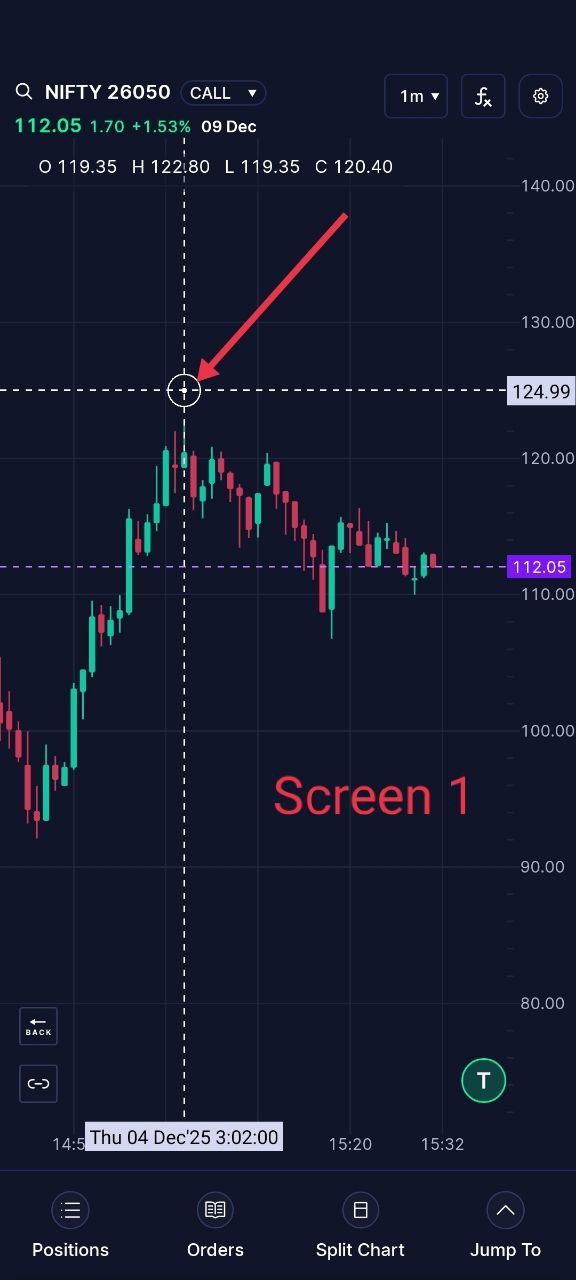
Case 1 : (Refer Screenshot “Screen 1” STOP LOSS LIMIT BUY ACTION)
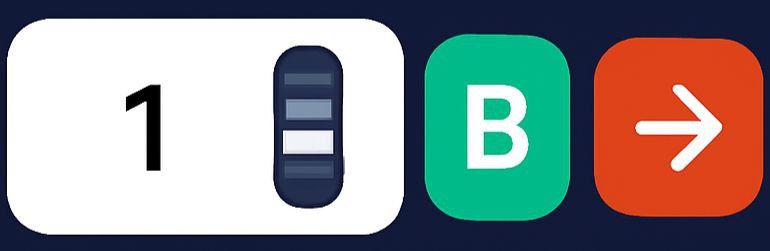
CMP is 112.05. User will place his circular cross hair(Highlighted in Red arrow) and double click on the circular cross hair. A small pop up (Refer the button screenshot attached, taken from your basket concept)
The user will enter number of lots and click the arrow button. The app will place the Stop Los limit buy at 124.99 with the trigger spread , as in your current logic in the system
Case 2 : (Refer Screenshot “Screen 1” LIMIT SELL ACTION)
CMP is 112.05. User will place his circular cross hair(Highlighted in Red arrow) and double click on the circular cross hair. A small pop up (Refer the button screenshot attached, here a single tap on the B button will make it toggeled as “S” meaning Sell “Same functionality of toggling Buy and Sell in Option chain with Basket Concept”
The user will enter number of lots and click the arrow button. The app will place the Limit Sell at 124.99 , as in your current logic in the system
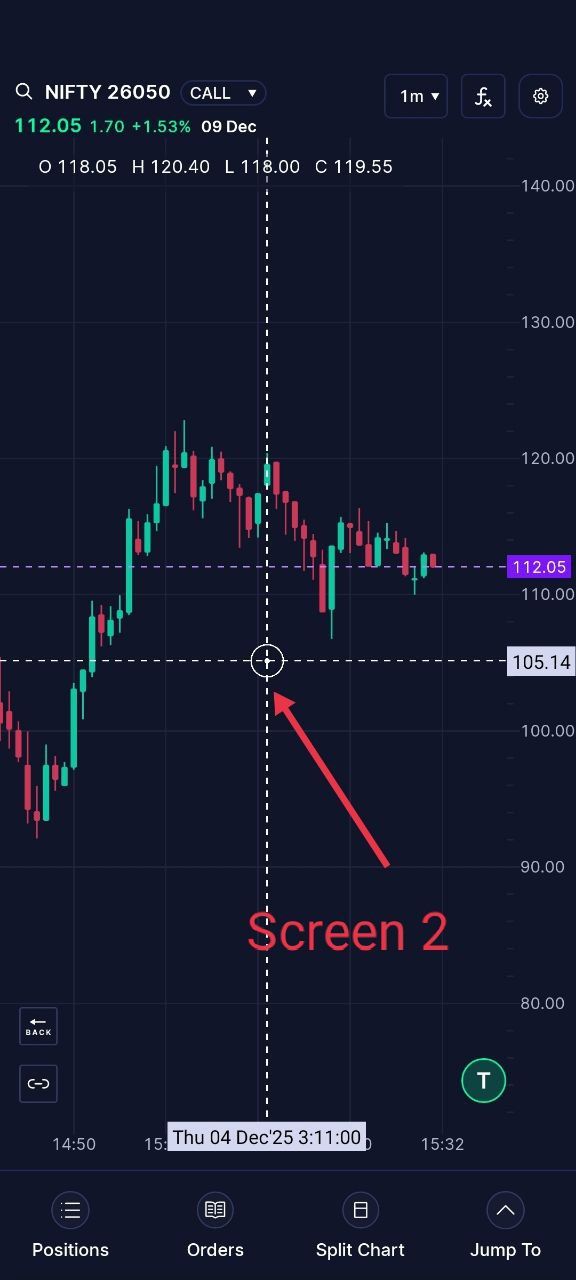
Case 3 : (Refer Screenshot “Screen 2” LIMIT BUY ACTION)
CMP is 112.05. User will place his circular cross hair(Highlighted in Red arrow) and double click on the circular cross hair. A small pop up (Refer the button screenshot attached, taken from your basket concept)
The user will enter number of lots and click the arrow button. The app will place the Limit buy at 105.14 as in your current logic in the system
Case 4 : (Refer Screenshot “Screen 1” STOP LOSS LIMIT SELL ACTION)
CMP is 112.05. User will place his circular cross hair(Highlighted in Red arrow) and double click on the circular cross hair. A small pop up (Refer the button screenshot attached, here a single tap on the B button will make it toggeled as “S” meaning Sell “Same functionality of toggling Buy and Sell in Option chain with Basket Concept”
The user will enter number of lots and click the arrow button. The app will place the Stop loss Limit Sell at 105.14 ,with the trigger spread , as in your current logic in the system
Case 5 : (Refer Screenshot “Screen 1”MARKET ORDER ACTION)
The user places the cursor anywhere on the screen. Here the user single taps toggles Buy to Sell and again single Tap toggles from S ell to M, “M” Meaning Market order and the user presses the arrow mark and the order is released in to the system at market price
(Please not the toggling functionality is already availaible in Option chain with Basket option )
I think this will be a good value add and reduces the actions required to place susch orders from classic order entery nox
If any discrpancies on composing , excuse for that
Log in to comment and vote
Comments3
Arshad Fahoum
Dec 9, 2025
Hi Nagaraj,
Thanks for sharing these detailed use cases. You’ve described the need really well—fast order placement of different types directly from the chart, without breaking focus.
This is exactly the problem we’re solving with our upcoming scalper mode, where you’ll be able to place market, limit and SL orders quickly from the chart, with minimal clicks and support for presets for SL/TP.
Will share more on an upcoming weekly webinar as we get closer, but the core idea is simple: help you get in and out of trades as fast as you think of them, without leaving the chart.
Nagaraj Bhat
Dec 10, 2025
Thank you . Punch is hearing out all its user base and is on the way to be numero uno !!
Nagaraj Bhat
Dec 5, 2025
I was wrong on Case 5 .Sorry for that. Here is the new one for Cae 5
Case 5 : (Refer Screenshot “Screen 1”MARKET ORDER ACTION)
The toggle Butto Order is B,S,NB,MS in that order
B- Buy (Used for Stoploss Limit/Limit Buy)
S- Sell (Used for Stoploss Limit/Limit Sell)
MB- Market Buy
MS - Market Sell
The user places the cursor anywhere on the screen. The user toggles all the way from B—>S→>MB or B—>S→>MS and the user presses the arrow mark and theMarket order is released in to the system at market price for either Buy or sell based on the action selected
(Please not the toggling functionality is already availaible in Option chain with Basket option )