I would like to suggest an enhancement to the trading app that could significantly improve chart visibility and the overall trading experience.
Currently, when viewing CE and PE charts in split-chart mode, the available chart area becomes limited, making it difficult to analyze price action effectively. A better approach would be to provide:
Split Chart Mode for CE & PE – Allow users to view both CE and PE charts side by side for quick comparison and better decision-making.
Dedicated Index Chart Page – Provide a separate full-screen page for the Index chart, enabling traders to analyze the underlying market trend without compromising chart visibility.
Customizable Layouts – Allow users to switch between single-chart, dual-chart, and multi-chart layouts based on their trading preferences.
Synchronized Crosshair & Timeframes – Sync crosshairs and timeframes across CE, PE, and Index charts for easier comparison and analysis.
Quick Chart Navigation – Add one-tap switching between Index, CE, and PE charts without leaving the trading screen.
Enhanced Full-Screen Mode – Provide a distraction-free full-screen chart option with all essential indicators and drawing tools.
These improvements would greatly enhance chart readability, improve analysis efficiency, and help traders make faster and more informed trading decisions. I have attached reference screenshots for better understanding.
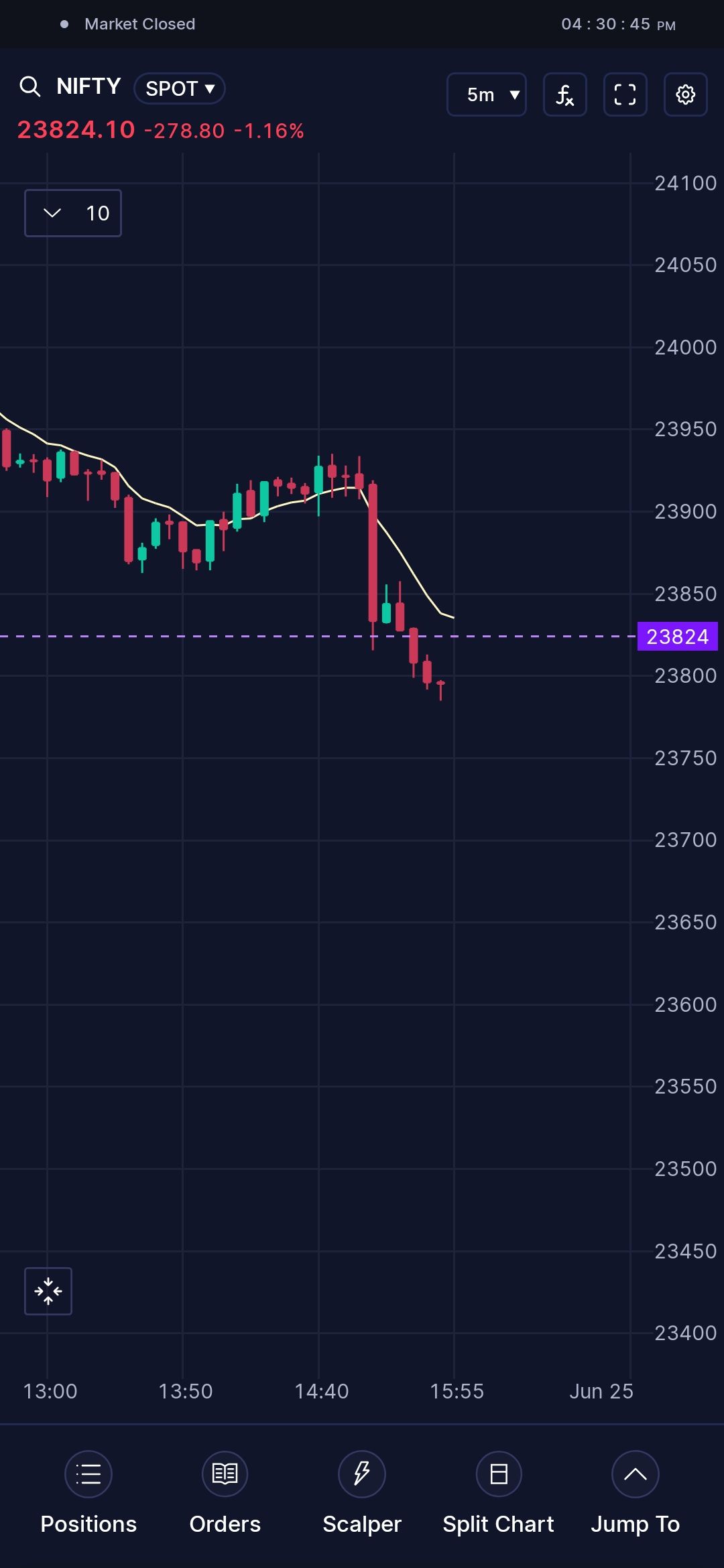
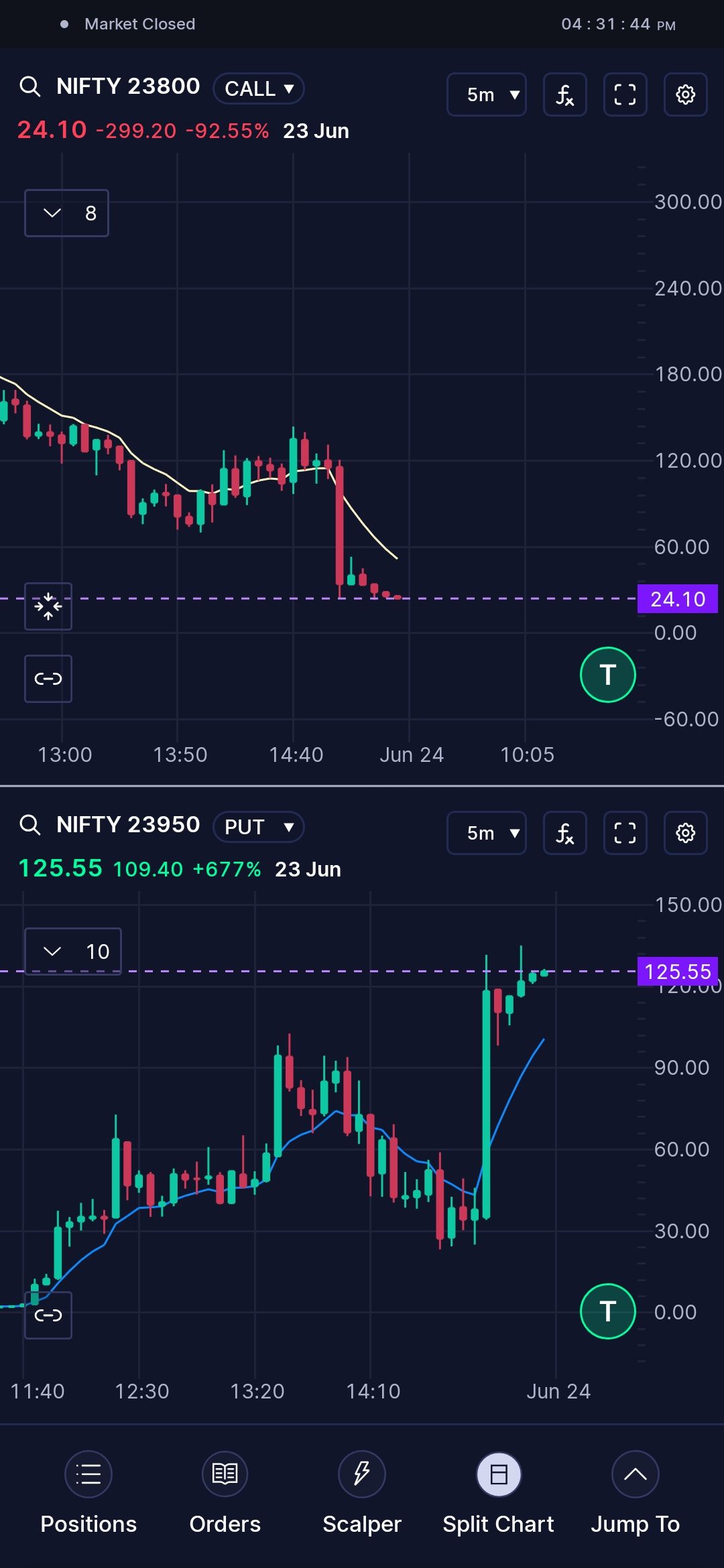
Having 2 charts (CE&PE) in split chart mode and a separate page for the Index chart would improve chart visibility and very helpful in trading ,I have attached both chart for ur reference